How to Connect Binance with a Read-Only API Key (2026 Guide)
Guides · · Satoshi Note
Read in: 한국어
Binance is where most people hold their "global" coins, and it is also the exchange where API-key horror stories tend to come from. Almost all of those stories involve a key that had trading or withdrawal permission turned on. The key you create in this guide has neither. It can read your balances and fills, and nothing else. We walk through creating it on Binance and adding it to Satoshi Note. Five minutes, no cost.
If you want the background on what a read-only key can and cannot do, read What is a read-only API key? first.
What you need
- A Binance account with two-factor authentication enabled. Binance will not let you create an API key without it.
- A desktop browser. API Management is easier to use on the website than in the app.
- Satoshi Note's connection guide open in another tab (Settings → Connect exchanges → Global → Binance) so you can paste the keys when they appear.
Step 1 — Open API Management
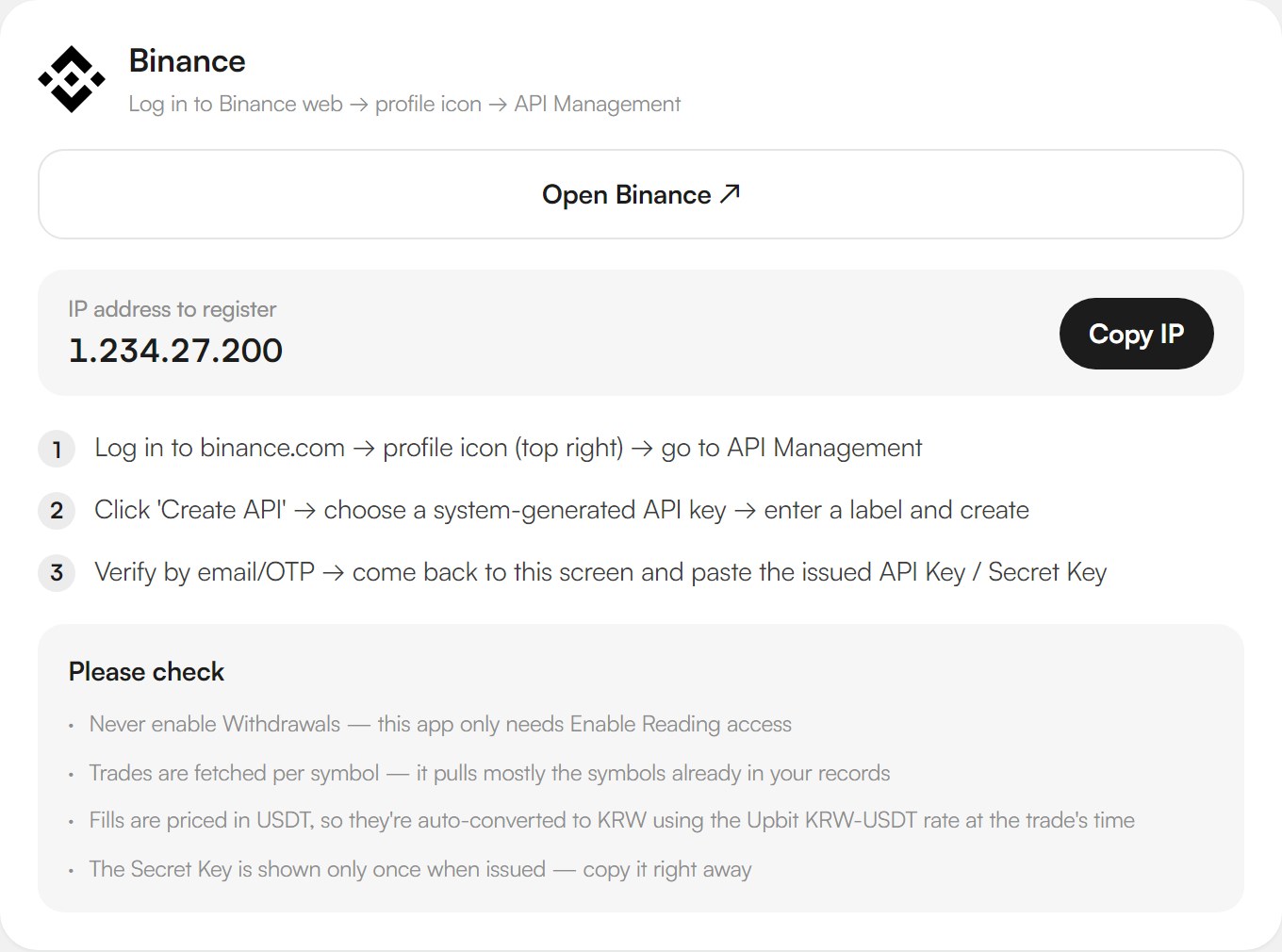
Log in at binance.com, click your profile icon in the top-right corner, and choose API Management. The screenshot below is the Binance section of Satoshi Note's in-app guide with the three-step path and the points to check.
Step 2 — Create a system-generated key
- Click Create API.
- Pick System generated as the key type. The other option, self-generated, requires you to produce an Ed25519 key pair yourself. Satoshi Note works with the ordinary HMAC key that Binance generates for you.
- Enter a label such as
satoshinote-readonlyso you can recognise the key later, and click Next. - Complete the email and authenticator (OTP) verification Binance asks for.
Binance then shows the API Key and the Secret Key. Copy both immediately. The Secret Key is displayed only this once. If you navigate away, you will have to delete the key and create a new one.
Step 3 — Check the permissions
Open the key you just created and look at API restrictions. The default state is exactly what you want:
| Permission | Setting |
|---|---|
| Enable Reading | On |
| Enable Spot & Margin Trading | Off |
| Enable Futures | Off |
| Enable Withdrawals | Off (leave greyed out) |
Enable Reading is the only box that needs to be ticked. Do not enable trading or withdrawals for a portfolio tracker, ever. Binance also lets you restrict the key to trusted IPs. Satoshi Note does not require an IP allowlist for Binance, but if you turn it on, the server address is shown on the in-app guide with a "Copy IP" button.
Step 4 — Paste the keys into Satoshi Note
Back in Satoshi Note, under Settings → Connect exchanges → Global, choose Binance and paste the API Key and Secret Key. The app verifies the key, pulls your recent spot fills and balances, and adds them to your records. From then on your Binance holdings appear with quantity, average cost and unrealized P&L next to any Korean exchange, other global exchange or wallet you have connected. Keys are stored encrypted on the server and used only to query Binance.
Things specific to Binance
Fills are fetched per symbol. Binance's trade history endpoint works one trading pair at a time, so Satoshi Note pulls fills mainly for the symbols already present in your balance and records. A coin you traded and fully sold long ago may not appear until you add it manually.
Fills are priced in USDT. Satoshi Note keeps your records in a single base currency. USDT-quoted fills are converted at the KRW-USDT rate from Upbit at the time of the trade, and shown in your display currency (USD on the English, Japanese and Chinese interfaces).
Spot only. The exchange connection imports spot balances and fills. Futures positions are not imported through your key. If what you want is to see what large futures traders are doing, that is the Satoshi Index, which uses public exchange data and needs no key at all.
Common snags
"Invalid API-key, IP, or permissions for action." Either the Secret Key was pasted with a stray space, or the key has an IP restriction that does not include the Satoshi Note server. Check the key's IP settings in API Management, or remove the restriction.
The key shows a "pending" state. Binance sometimes takes a minute to activate a new key. Wait and try again.
Nothing imports for a coin I know I traded. See "fills are fetched per symbol" above. Add the coin to your records once and the next sync will fetch its history.
Using other exchanges too?
Add a key for each exchange and everything lands in one table. We have the same walkthrough for Upbit and Bithumb, and the in-app exchange connection guide covers all 13 supported exchanges including OKX, Bybit, Coinbase, Kraken and the Japanese exchanges.
Satoshi Note is free. Read-only API keys only. The site is satoshinote.io.